
Best no-code test automation tools in 2026: 7 picks
By qtrl Team · Engineering
Record-and-replay was the original no-code testing, and its mixed reputation still shapes how teams react when a vendor says "no-code." The 2026 generation is different in kind: AI authoring, smart locators that survive real refactors, and agentic execution where there's no script at all. The seven options below cover the credible shortlist. Vendor disclosure: qtrl is the agentic kind.
TL;DR: the seven no-code test automation tools that actually compete
For agentic no-code with structured management, qtrl. For stable managed E2E with auto-healing maintenance, Mabl. For natural-language authoring on a managed platform, Functionize. For ML-assisted locator stability on record-and-tweak workflows, Testim. For a broad no-code platform across web/API/mobile, Katalon Studio. For BrowserStack customers wanting agentic no-code on existing capacity, Kane AI. For enterprise model-based no-code with AI, Tosca with Copilot. Pricing varies per vendor; pull current numbers from each sales team.
What "no-code" really means in 2026
Three flavors of no-code, each solving a slightly different problem. Mixing them up is how teams end up disappointed.
- Record-and-replay. Capture clicks, replay them. Modern tools add ML-assisted locator stability on top, which fixes the original record-and-replay brittleness.
- Natural-language authoring. Type what the test should do; the tool produces a runnable artifact. The script still runs underneath, but you didn't write it.
- Agentic execution. Describe intent; an agent decides how to drive the browser. The most flexible, with adaptive memory shaping how reliable it gets over time.
What to look for in a no-code test automation tool
Nine criteria that decide a real evaluation:
- Which flavor of no-code fits the team. Record-and-replay, NL authoring, or agentic execution are three different shapes with different stability profiles.
- Agent resilience under UI drift. Two weeks of normal release cadence beats a demo. The recovery story is what decides reliability.
- Failure context. No-code tools that produce easy tests and impossible failure investigations lose adoption fast. The credible ones invest in why a test broke, not just how to author it.
- Code escape hatch. Can a power user drop into a scripting layer when the visual editor isn't enough? Pure no-code without an escape hatch hits a ceiling.
- Test management integration. Cases, runs, defects, audit. No-code tools that punt on management leave you stitching reports.
- CI integration depth. Real hooks for GitHub Actions, GitLab CI, Jenkins, CircleCI, Bitbucket Pipelines, Azure DevOps.
- Mobile coverage, if relevant. Some no-code tools cover mobile through a device cloud; others don't.
- WebDriver compatibility. Tools built on the W3C WebDriver standard port between clouds; vendor extensions lock you in.
- Audit shape. The EU AI Act and NIST AI RMF expect immutable evidence shapes that older record-and-replay tools were never designed for.
No-code test automation tools compared at a glance
| Tool | Best for | Natural language authoring | Self healing tests | Agent browser execution |
|---|---|---|---|---|
| qtrl | Agentic no-code + management | ✓ | ✓ | ✓ |
| Mabl | Managed E2E + maintenance | ! limited | ✓ | ! scripted runs |
| Functionize | NL authoring + managed | ✓ | ✓ | ! scripted runs |
| Testim | Selector-flake stability | ! limited | ✓ ML locators | ✗ |
| Katalon Studio | Web/API/mobile combo | ! recent AI | ! limited | ✗ |
| BrowserStack Kane AI | BrowserStack customers | ✓ | ! basic | ✓ |
| Tricentis Tosca + Copilot | Enterprise model-based | ✓ | ✓ | ! within Tosca |
1. qtrl: agentic execution that doesn't need scripts
qtrl is no-code in the sense that AI agents drive the browser based on intent rather than scripts. Authoring is conversational. Manual cases live in the same system. The audit trail and management layer keep the whole loop coherent. Adaptive memory means the agent gets faster and more reliable on flows it's seen before.
Key features:
- Agentic browser execution with progressive autonomy (you set the level of agent initiative per flow).
- Natural language authoring from PRDs, user stories, design specs.
- Adaptive memory: agents learn your app's patterns across runs.
- Versioned test cases with branchable history and review-gated changes.
- Manual and AI execution in the same run, with one unified history.
- Immutable audit trail produced as a side-effect of normal work.
- Two-way Jira integration (issue links, status updates, defect creation).
- CI hooks for GitHub Actions, GitLab CI, Jenkins, CircleCI, Bitbucket Pipelines, Azure DevOps.
Where it wins:
- Execution doesn't depend on selectors at all; UI drift hurts less.
- Adaptive memory makes the second run faster than the first.
- Management is built in, not a separate purchase.
- Manual + AI runs share one history.
- Audit shape fits EU AI Act and NIST AI RMF without bolt-on integrations.
Where another tool fits better:
- If your team already has a thriving record-and-tweak workflow and the pain is just selector flake, Testim solves that more cheaply.
- If you need web + API + mobile under one tool, Katalon Studio is the broader fit.
- If you're already deep in BrowserStack, Kane AI is the cleaner bundle.
Best for: teams that want agentic no-code authoring with structured management and audit underneath.
Choose this if you want no-code authoring and execution without giving up structured management.
2. Mabl: managed E2E with ML-assisted maintenance
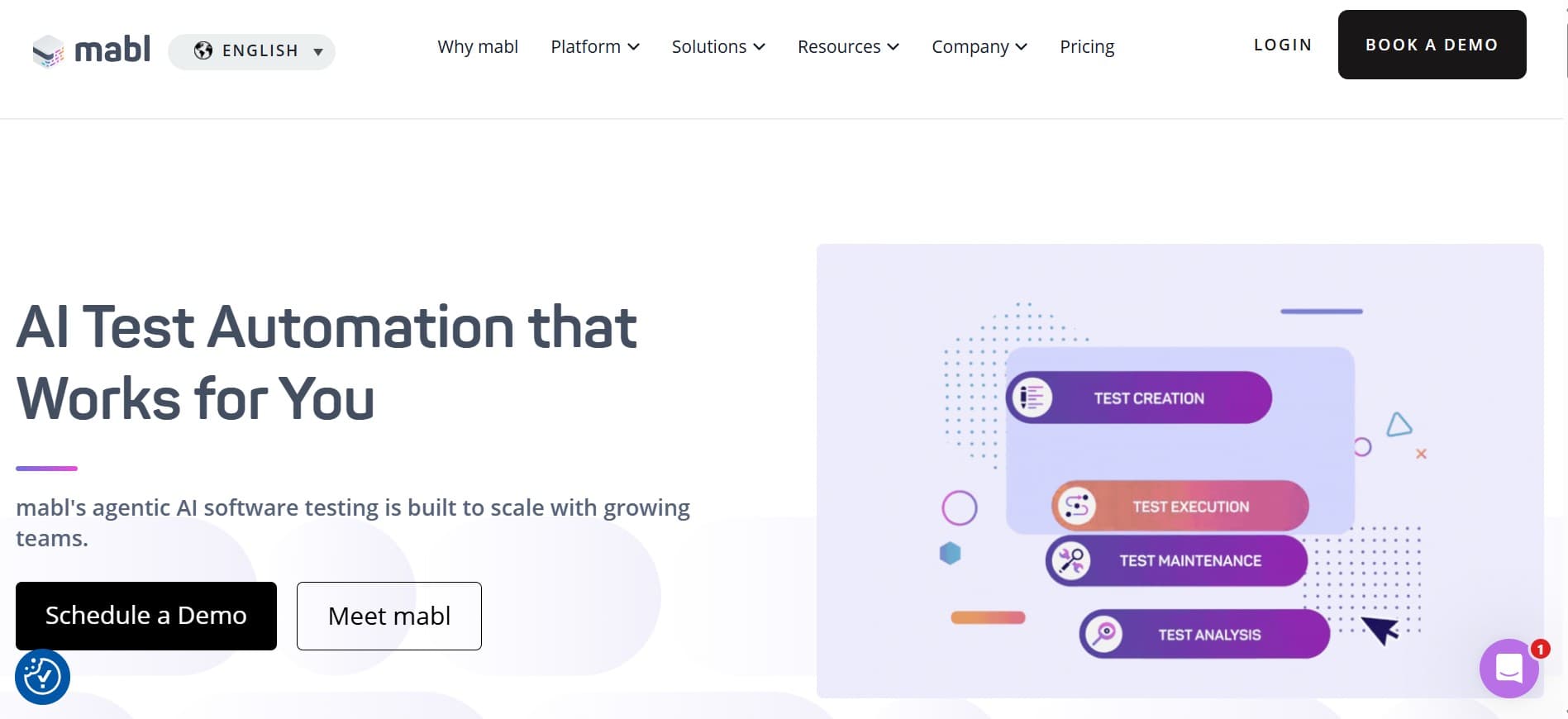
Mabl is one of the longest-running no-code automation platforms. Record-and-tweak authoring with ML-assisted maintenance, managed execution, integrated reporting. Stable, mature, low-drama.
Key features:
- Low-code authoring with ML-assisted element identification.
- Auto-healing tests that adapt to small UI changes.
- Managed cloud execution across browsers.
- API testing and accessibility testing add-ons.
- Test analytics and flake clustering dashboards.
- Native CI integration (GitHub Actions, GitLab CI, Jenkins, CircleCI).
Where it wins:
- Auto-healing cuts flake on small UI changes.
- Flake analytics genuinely accelerate triage.
- Managed execution removes infrastructure work.
- Predictable behavior over months of release cadence.
Where it falls short:
- Execution is scripted, not agentic.
- Low-code ceiling on complex flows.
- No real-device cloud; mobile coverage is shallow.
- NL authoring is limited.
Best for: teams wanting a stable managed E2E platform with smart maintenance.
Choose this if you want a stable managed E2E platform with smart maintenance.
3. Functionize: NL authoring on a managed platform
Functionize leans on natural-language authoring and ML for execution maintenance. Managed platform model, no framework to maintain. Generation paired with execution closes the loop for teams that want both in one tool.
Key features:
- Natural-language test authoring producing runnable scripts.
- Managed cloud platform with no framework to maintain.
- Self-healing tests against UI changes.
- Visual testing and data-driven testing.
- Integrations with major CI providers.
- Enterprise-tier support and onboarding.
Where it wins:
- NL authoring is first-class.
- Managed platform removes framework overhead.
- Self-healing reduces maintenance.
- Enterprise onboarding is mature.
Where it falls short:
- Execution is scripted under the hood, not agentic.
- Opinionated platform resists non-standard flows.
- No structured management layer; pair with another tool.
- Enterprise-tier pricing from the start.
Best for: teams wanting NL authoring with managed execution and no framework to maintain.
Choose this if you want NL authoring and a managed platform and you're OK with an opinionated workflow.
4. Testim: ML-assisted locator stability
Testim (Tricentis) uses smart locators to keep recorded tests stable as the UI drifts. Authoring is record-and-tweak. CI-friendly, with code export for power users who want to drop into scripting.
Key features:
- ML-assisted locator strategies that survive minor UI changes.
- Record-and-tweak authoring with code export.
- Mobile and web execution.
- Integrations with major CI providers and Jira.
- Test pull requests and branching workflows.
- Part of the broader Tricentis stack.
Where it wins:
- Selector stability is genuinely strong.
- Record-and-tweak fits teams already working that way.
- Code export gives a real escape hatch.
- Mature enterprise support.
Where it falls short:
- Not agentic; the AI is locator stability only.
- NL authoring is limited.
- Record-and-tweak feels dated for AI-native teams.
- Pricing is mid- to high-tier.
Best for: teams whose primary no-code pain is selector flake on recorded tests.
Choose this if selector flake is the main reason you're looking at no-code, not authoring speed.
5. Katalon Studio: broad no-code across web, API, mobile
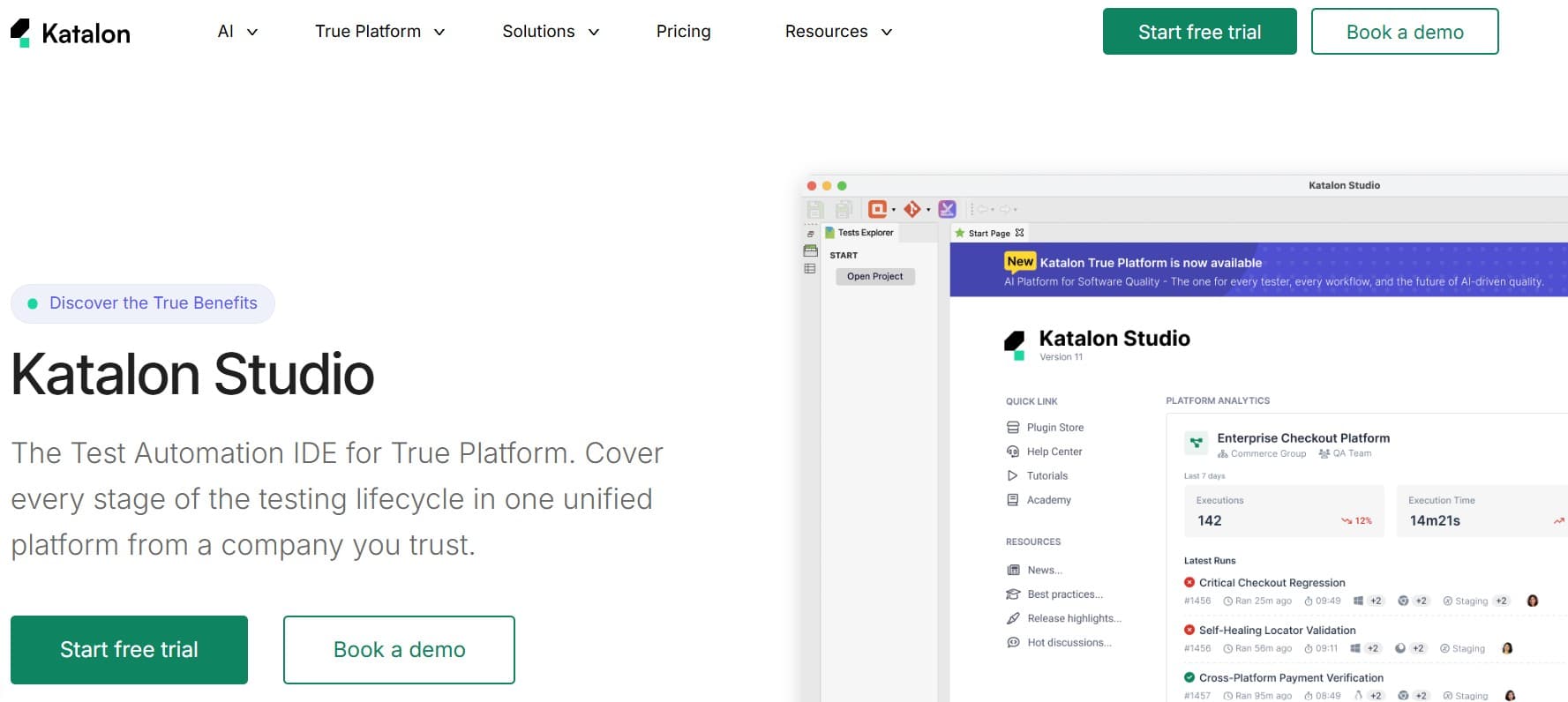
Katalon is one of the broader no-code-plus-low-code platforms. Supports web, API, and mobile testing with a record-and-tweak workflow. Recent AI features cover authoring and maintenance, though depth varies across the surfaces.
Key features:
- Web, API, and mobile testing under one tool.
- Record-and-tweak authoring with Groovy scripting as escape hatch.
- Recent AI features (StudioAssist, KatAI) for authoring and triage.
- Built-in test management and reporting.
- Integrations with Jira, GitHub, GitLab, Jenkins, Azure DevOps.
- Free Studio edition for small teams; commercial tiers for advanced features.
Where it wins:
- Single tool spanning web, API, and mobile.
- Free starter edition keeps trial cost low.
- Built-in management for small teams who don't want a separate tool.
- Mature community resources.
Where it falls short:
- Depth varies across surfaces; mobile is shallower than web.
- AI features are recent and still maturing.
- Not agentic; record-and-tweak with AI assistance.
- Built-in management is functional but not deep.
Best for: small to mid-size teams wanting a single tool across web, API, and mobile with no-code defaults.
Choose this if you want a single tool spanning web, API, and mobile, with a no-code default workflow.
6. BrowserStack Kane AI: agentic no-code on BrowserStack capacity
Kane AI is no-code in the agentic sense: natural-language test specs, real browsers, BrowserStack cloud capacity under the hood. For BrowserStack customers, it bundles agentic no-code into the existing contract.
Key features:
- Agentic execution against real browsers on BrowserStack capacity.
- Natural-language test specs.
- Bundled with existing BrowserStack contracts.
- BrowserStack Test Observability for reporting.
- Mobile coverage on the BrowserStack device cloud.
- CI integration with major providers.
Where it wins:
- No new vendor for BrowserStack customers.
- Device cloud bundling for mobile coverage.
- Mature cloud reporting.
- Tight loop between authoring and execution.
Where it falls short:
- No standalone management layer; pair with another tool.
- Locked into BrowserStack pricing.
- No adaptive memory across runs.
- Wrong direction if you're evaluating away from BrowserStack.
Best for: BrowserStack customers wanting agentic no-code on existing capacity.
Choose this if you're already paying for BrowserStack and want no-code authoring with agentic execution.
7. Tricentis Tosca with Copilot: enterprise model-based no-code
Tosca's model-based testing is fundamentally no-code, and Copilot adds AI authoring on top. Strong on enterprise traceability and packaged-app integration. Heavy to adopt if you're not already in the Tricentis ecosystem.
Key features:
- Model-based test authoring with deep enterprise compliance primitives.
- Copilot for AI-assisted case generation.
- SAP, Salesforce, ServiceNow, and broad packaged-app integration.
- Mobile, API, and web execution.
- Tight integration with qTest and the rest of the Tricentis stack.
- Mature enterprise governance and audit posture.
Where it wins:
- Compliance depth for regulated industries.
- Packaged-app integration nobody else matches.
- AI Copilot fits inside an existing enterprise workflow.
- Tricentis stack integration if you're already on it.
Where it falls short:
- Heavyweight; wrong fit for growth-stage teams.
- AI is bolted on rather than woven through.
- Implementation effort is real.
- Locked into Tricentis pricing.
Best for: large regulated enterprises already on Tosca, or starting fresh on no-code with enterprise compliance needs.
Choose this if you're already on Tosca or you're an enterprise regulated team starting fresh on no-code.
Tool comparison summary
| Tool | Strengths | Limitations | Best for |
|---|---|---|---|
| qtrl | Agentic execution + adaptive memory + management + audit | Newer entrant; not a device cloud | Agentic no-code with management |
| Mabl | Auto-healing, flake analytics, predictable platform | Scripted execution; low-code ceiling | Stable managed E2E |
| Functionize | NL authoring first-class, managed platform | Scripted execution; opinionated; enterprise pricing | NL authoring without framework work |
| Testim | ML locator stability, code escape hatch | Not agentic; dated authoring model | Selector flake as the core pain |
| Katalon Studio | Web + API + mobile in one tool, free starter | Depth varies by surface; AI still maturing | All-surface no-code on a budget |
| BrowserStack Kane AI | Bundled with device cloud, mature cloud reporting | No standalone management; BrowserStack lock-in | BrowserStack customers |
| Tricentis Tosca + Copilot | Compliance depth, packaged-app integration | Heavyweight; AI bolt-on; high implementation cost | Enterprises already on Tosca |
How to evaluate without burning a quarter
A pragmatic playbook:
- Diagnose the flavor of no-code that fits. Record-and-tweak, NL authoring, or agentic. Different problems, different tools.
- Pick a flow that breaks weekly. Hand it to the candidate. The tool that recovers gracefully on that flow is the one solving your problem.
- Run two weeks of normal release cadence. Demos pass; failure modes show up in week two.
- Test failure investigation, not just authoring. Trigger a real failure and see what the tool shows you. The tools that lose adoption are the ones that produce easy tests and impossible failure investigations.
- Validate the escape hatch. What happens when the visual editor can't express a flow? A real code export or scripting layer matters more than the demo suggests.
- Plan the management layer. If the tool punts on management, decide upfront whether you'll pair it with TestRail, Jira, qtrl, or something else.
Why no-code keeps almost working
The reason no-code testing has a credibility problem isn't the tools, it's the gap between what people hope no-code means and what it can do. No-code authoring works. No-code maintenance is harder. No-code reasoning about why a test broke is the hardest part, and the tools that lose adoption are the ones that produced easy tests and impossible failure investigations. The credible 2026 vendors all invest in failure context, not just authoring speed. The practical test pyramid is worth a read for the layers where no-code is genuinely a poor fit (unit and contract) versus where it shines (E2E and exploratory).
Where qtrl fits in a no-code stack
No-code tools have historically traded off depth for accessibility. Stable recorded tests, but flaky on real apps. Easy authoring, but hard to fit into a management system that engineers and compliance can defend. qtrl is designed to keep both ends: AI agents that drive the browser without scripts under progressive autonomy (you decide when the agent runs unsupervised), and a real management system underneath. For broader context see what is agentic testing and how to get started with test automation in 2026. The ISTQB Foundation syllabus is the cleanest vendor-neutral reference for which testing activities benefit from no-code and which don't.
Frequently asked questions about no-code test automation
Is no-code test automation reliable enough for production? It depends on the flow and the tool. Stable, high-frequency regression is still often easier with scripted tests. For flows that change often, modern no-code and agentic tools save real time.
Can no-code tools replace Playwright or Cypress? For some flows, yes. For others, no. Most teams end up with both. See Playwright vs Cypress in 2026.
What is the difference between no-code and low-code testing? Low-code lets you drop into scripting when the visual editor isn't enough. No-code generally doesn't expose a scripting layer, or hides it behind config. Most modern tools blur the line.
Do no-code tools work for mobile testing? Some do, especially Katalon and the device-cloud-backed agentic tools. Coverage and stability vary, so test a real mobile flow before committing.
How does no-code handle API testing? Some no-code tools (Katalon, Functionize) have first-class API testing. Others assume you pair them with a separate API tool like Postman or REST Assured. Decide whether you want one platform or specialists.
What is the maintenance cost of no-code tests? Lower than record-and-replay used to be, thanks to ML-assisted locator stability and auto-healing. Still higher than well-written scripted tests in stable areas. Diagnose where the maintenance time goes before picking.
How does the EU AI Act affect no-code testing? It affects how easy compliance is, not whether you can achieve it. Tools that produce immutable evidence of how AI-influenced features were tested are easier than tools that need bolt-on integrations.
Can no-code coexist with our existing scripted suite? Yes, and most teams end up with both. The right tool ingests scripted results alongside its own runs and reports them in one place.
How do I know which no-code flavor my team needs? Match the flavor to your bottleneck. If non-engineers need to write tests, natural-language authoring fits. If flows change every sprint, agentic execution earns its keep. If your suite is stable, scripted automation may still be the cheaper answer. We walk through the three shapes in how no-code test automation works, and the agentic end specifically in best agentic testing tools.
What others say
What others say about Katalon
“Reviewing results in large suites is painful because you click through cases one by one, and performance lags on big projects.”
G2 reviewer · G2 reviews
“The free version is useful to start with but key features sit behind the paid tier, and pricing becomes a factor at scale.”
G2 reviewer · G2 reviews
“Self-healing helps but it doesn’t always work, and the search experience could be better.”
G2 reviewer · G2 reviews
What others say about Testim
“Test execution slows down when handling very large test suites, and pricing can be high for smaller teams compared to open-source frameworks.”
G2 reviewer · G2 reviews
“Limited integration with other tools, no mobile-device testing, does not support all languages, and debugging can be challenging.”
G2 reviewer · G2 reviews
“For complex scenarios you sometimes need to write custom code, network log visibility is limited, and some tests are flaky on reruns.”
G2 reviewer · G2 reviews
What others say about Mabl
“No option to run plans from a custom branch other than master.”
G2 reviewer · G2 reviews
“Setup of QA testing often did not work as expected, and when it did, tests took so long to run that they slowed the development process.”
G2 reviewer · G2 reviews
“Highly priced and overly complicated for what you get.”
G2 reviewer · G2 reviews
What others say about Functionize
“Automating certain dynamic UI elements is still a challenge.”
G2 reviewer · G2 reviews
“Test execution can be very slow and assigning a VM sometimes takes a while.”
G2 reviewer · G2 reviews
“AI and natural language test creation help, but there is a learning curve before you can use the system effectively.”
G2 reviewer · G2 reviews
The two checks that decide the right pick
Two things move the needle more than anything else when picking a no-code test automation tool, and most teams skip both.
First, trigger a real failure in the trial and try to investigate it. The tool that gives you a coherent answer is the one engineers will actually use a year in. Easy authoring without good failure context is a trap.
Second, decide whether you're buying authoring, execution, or both. Some no-code tools author beautifully and execute through someone else; others do both. The answer dictates whether you end up with one tool or two.
If no-code authoring with agentic execution and real management is what you're evaluating, try qtrl and see if it fits.
Have more questions about AI testing and QA? Check out our FAQ