
Best QA automation tools in 2026: 7 picks compared
By qtrl Team · Engineering
Nobody buys one QA automation tool anymore. The 2026 stack is a scripted framework for the stable layer, an AI or agentic tool for the parts that change too often to script, and a management layer holding the audit trail across both. Seven credible options across those three roles below. Vendor disclosure: qtrl is one of them.
TL;DR: seven QA automation tools across the modern stack
For agentic execution + structured management in one platform, qtrl. For the strongest code-first scripted framework, Playwright. For front-end component-heavy teams, Cypress. For existing Selenium investments, Selenium 4 with Selenium Manager. For managed E2E with smart maintenance, Mabl. For BrowserStack customers wanting agentic execution, Kane AI. For Tosca shops adding AI authoring, Tricentis Tosca Copilot. Most teams pick three or four, not one.
How to think about a QA automation stack in 2026
Most teams end up with a stack, not a single tool. The question isn't "which one," it's "which combination." A reasonable shape:
- A scripted framework for stable, high-frequency regression that doesn't change much.
- An agentic or AI-assisted tool for flows that change often or where exploration matters.
- A test management layer that holds versioned cases, runs, and an audit trail across both.
We dig into the framework choice in Playwright vs Cypress in 2026, Playwright vs Selenium, and Selenium in 2026.
The mistake teams make picking the "one tool"
Most automation evaluations start with the wrong question: "which tool wins the bake-off?" The right question is "which role in our stack is bleeding time?" A scripted framework needs replacing roughly never. A flake-heavy suite needs a healing layer or an agent. A team without traceability needs the management layer first, then the runner. The practical test pyramid is still the cleanest way to figure out which layer is actually weakest before you go shopping. The W3C WebDriver standard underlies every credible browser-automation tool, agentic or not, which means portability between frameworks is usually less painful than people expect.
What to look for in a QA automation tool
- Role clarity. Scripted framework, smart-script platform, or agentic. The shapes solve different problems. Match the shape to the role.
- Language and ecosystem fit. Your team already writes in something. The tool that fits the team's existing language wins on adoption.
- Maintenance cost. Authoring a test is cheap. Maintaining one for two years is the expense most evaluations underestimate.
- Flake resistance. What does the tool do when a locator drifts or a network call is slow? Auto-waiting, smart locators, retry policies, and recovery mechanisms.
- Parallelism and CI fit. Real throughput in CI, not the marketing benchmark. Test on your actual pipeline.
- Cross-browser and cross-device coverage. Chrome, Firefox, Safari, Edge, real iOS and Android if you need mobile. Cloud execution capacity if you don't want to run grids yourself.
- Debug and trace tooling. When a test fails at 3am, can you reconstruct what happened? Trace viewers, video, network capture, console logs.
- Test management integration. The framework runs tests; something else holds cases and runs. The seam between them decides the audit story.
- License and pricing model. Open source vs. managed, per-seat vs. per-run, OSS support vs. enterprise contract. Each model has a real follow-on cost.
QA automation tools compared at a glance
| Tool | Best for | Autonomous browser execution | Self healing tests | Natural language authoring |
|---|---|---|---|---|
| qtrl | Agentic execution + management | ✓ | ✓ | ✓ |
| Playwright | Modern code-first framework | ✗ | ! locator strategies | ✗ |
| Cypress | Front-end-heavy teams | ✗ | ! limited | ✗ |
| Selenium + Selenium Manager | Existing Selenium investment | ✗ | ✗ | ✗ |
| Mabl | Managed E2E without SDETs | ! scripted runs | ✓ | ! limited |
| BrowserStack Kane AI | BrowserStack customers | ✓ | ! basic | ✓ |
| Tricentis Tosca Copilot | Enterprise model-based | ! within Tosca | ✓ | ✓ |
1. qtrl: agentic test execution with built-in management
qtrl runs AI agents against your real product in a browser, mixes manual and AI execution in the same run, and wraps both in a structured test management system. Adaptive memory means the agent doesn't treat every run as the first one. The result: you can replace a lot of brittle scripted maintenance with AI execution that adjusts when the UI drifts, while keeping the cases, runs, and audit trail in one place.
Key features:
- Agentic browser execution with progressive autonomy.
- Adaptive memory: agents learn your app's patterns across runs.
- Manual + AI execution in one run, with unified history.
- AI authoring from PRDs and user stories.
- Versioned cases with branchable history and review-gated changes.
- Immutable audit trail satisfying EU AI Act and NIST AI RMF.
- CI integration across GitHub Actions, GitLab CI, Jenkins, CircleCI, Bitbucket Pipelines, Azure DevOps.
- Two-way Jira integration with status sync and defect creation.
Where it wins:
- Cuts maintenance on flows that change often.
- Management + execution in one platform; reduces stitching cost.
- Audit built in, not bolted on.
- Adaptive memory compounds across runs.
Where another tool fits better:
- For stable high-frequency regression suites that don't change much, scripted Playwright is usually faster and cheaper.
- For teams already on Cypress or Selenium with a working suite, the migration math rarely pencils out.
- For pure mobile-device coverage, a device cloud (BrowserStack, Sauce Labs) is part of the stack alongside qtrl.
Best for: teams that want AI-driven execution alongside structured test management, not a separate automation repo plus a separate management tool.
Choose this if the flows that hurt are the ones that change every sprint.
2. Playwright
Playwright is the strongest of the open-source scripted frameworks in 2026. Multi-browser support, parallelism, auto-waiting, and tracing all out of the box. The API design is clean enough that authoring effort is genuinely lower than Selenium. We compared it head-to-head with Cypress here and with Selenium here.
Key features:
- Multi-browser support (Chromium, Firefox, WebKit) from one codebase.
- Auto-waiting that eliminates a whole class of flaky tests.
- In-process parallel browser contexts; no Grid required.
- Native network interception and request mocking.
- Trace viewer with full DOM, network, console, and video.
- Official APIs in JavaScript/TypeScript, Python, Java, .NET.
- Codegen for record-and-tweak authoring.
- Strong CI integration via the Playwright CLI.
Where it wins:
- Modern API design; authoring effort is meaningfully lower than Selenium.
- Auto-waiting removes the most common source of flake.
- Trace viewer is best-in-category for debugging.
- Cross-browser parallelism in one process.
Where another tool fits better:
- Mobile testing is emulation-only; Appium plus Selenium is still the path for real-device mobile.
- Language ecosystem is narrower than Selenium's.
- For flows that change every sprint, the maintenance cost adds up regardless of how clean the API is.
Best for: new projects with modern web apps and teams comfortable writing tests in code.
Choose this if you're starting fresh and your stack is TypeScript, Python, Java, or .NET.
3. Cypress
Cypress has a great developer experience, especially for component testing and front-end-heavy teams. The architecture limits some cross-domain and multi-tab scenarios that Playwright handles natively, but for the right use case the feedback loop is hard to beat.
Key features:
- In-browser test runner with time-travel debugging.
- Component testing for React, Vue, Angular, Svelte.
- Auto-waiting and built-in retry.
- Cypress Cloud for parallel execution and analytics.
- Network stubbing and request control.
- Strong front-end framework integrations.
- Active community and rich plugin ecosystem.
Where it wins:
- Component testing is genuinely strong; no separate framework needed for unit and integration of components.
- Developer experience is excellent for front-end engineers.
- Time-travel debugging makes flaky tests easier to investigate.
- Front-end framework integrations are best-in-class.
Where another tool fits better:
- Cross-domain testing is limited by the architecture.
- Multi-tab and iframe scenarios are harder than in Playwright.
- Browser support is narrower (no native WebKit/Safari testing).
Best for: front-end-heavy teams writing component and E2E tests in the same framework.
Choose this if your team lives in React, Vue, or Angular and component testing matters as much as E2E.
4. Selenium with Selenium Manager and Grid
Selenium is still the most widely deployed automation framework in the world, and the W3C WebDriver standard is what every other browser tool ultimately implements against. If you have a working Selenium suite, there's no rush to replace it. Selenium Manager has eliminated the historical driver-management headache. The ecosystem and language coverage are still unmatched. We cover the modernization path in Selenium in 2026.
Key features:
- W3C WebDriver standard; works with every modern browser.
- Selenium Manager handles driver versioning automatically.
- Selenium Grid for distributed parallel execution.
- Language bindings for Java, Python, JavaScript, Ruby, C#, Kotlin, and more.
- Appium for real-device mobile testing built on the same protocol.
- BiDi support in Selenium 4 closes historical gaps with network interception.
- Vast ecosystem of plugins, frameworks (TestNG, JUnit, pytest), and cloud providers.
Where it wins:
- Existing investments compound; mature suites don't need rewriting.
- Language coverage is unmatched; the right pick if your team writes in something Playwright doesn't support.
- Appium ties cleanly to Selenium for real-device mobile.
- Selenium Grid is battle-tested for distributed execution.
Where another tool fits better:
- API is older and more verbose than Playwright's.
- Auto-waiting isn't built in; explicit waits required.
- For greenfield projects with modern web apps, Playwright is usually a better default.
Best for: teams with existing Selenium investments and language ecosystems Playwright doesn't serve.
Choose this if you already have a working Selenium suite or your team writes in a language Playwright doesn't cover.
5. Mabl
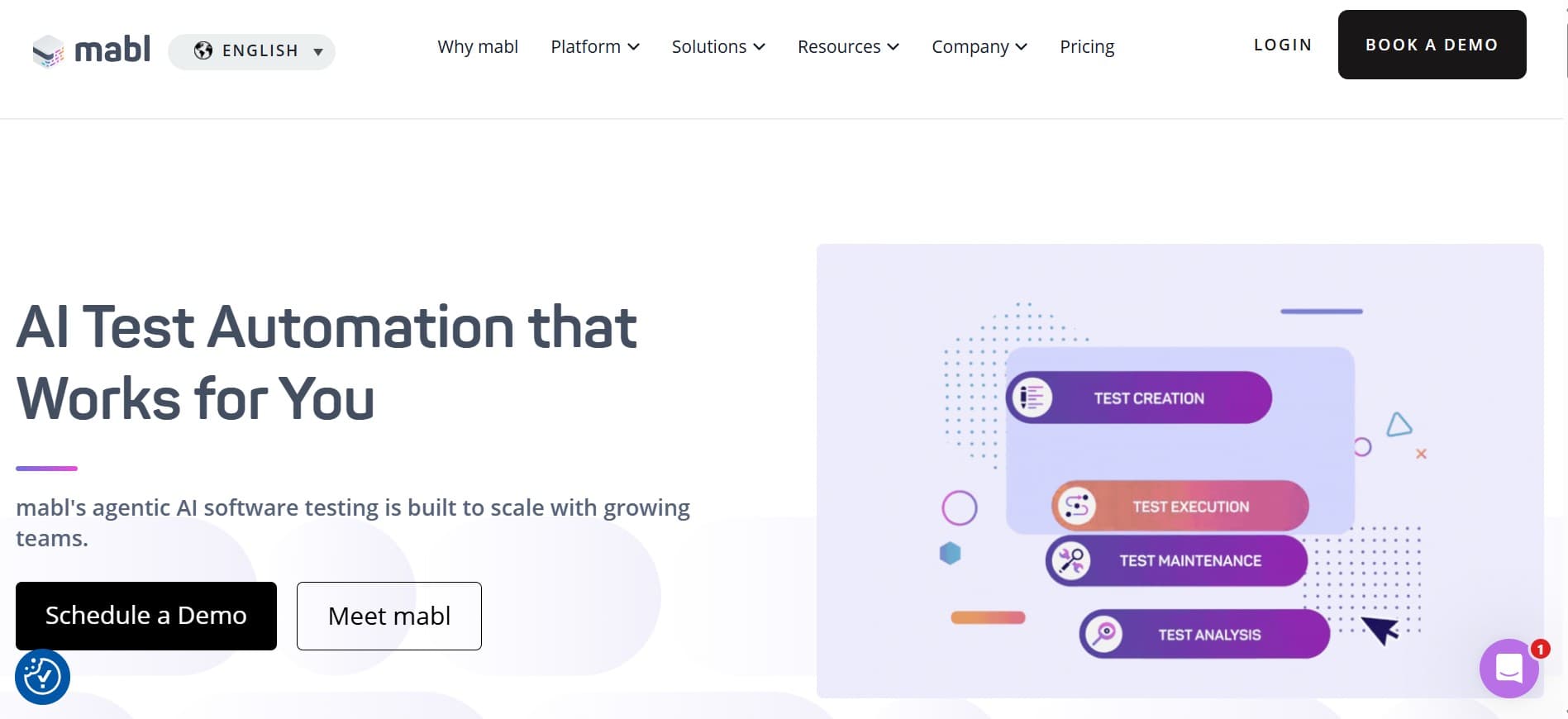
Mabl is the answer to "we don't want to staff an SDET team but we still need stable E2E coverage." Managed platform, auto-healing locators, and analytics that flag flaky runs before a human has to triage them. The give-up vs. Playwright is control. The win is the team time you don't spend on framework upkeep.
Key features:
- Auto-healing selectors that adapt to UI drift.
- Cross-browser execution (Chrome, Firefox, Safari, Edge) in the Mabl cloud.
- Flake detection and clustering across runs.
- Integrated reporting with trend views and root-cause analysis.
- API testing alongside UI testing.
- CI integration with Jenkins, GitHub Actions, GitLab CI, CircleCI, Bitbucket, Azure DevOps.
- Test data management with shared fixtures.
Where it wins:
- Managed platform; no framework maintenance.
- Flake reduction is real and measurable.
- Reporting depth is strong out of the box.
- Predictable for teams that need consistent CI behavior.
Where another tool fits better:
- Execution is scripted under the hood; not agentic.
- Less flexible than maintaining your own Playwright suite.
- For teams wanting agents that explore beyond defined cases, an agentic tool fits better.
Best for: teams where framework maintenance is the bottleneck, not authoring speed.
Choose this if you'd rather pay for a managed platform than maintain a framework yourself.
6. BrowserStack Kane AI
Kane AI is the agentic testing layer on top of the BrowserStack device cloud. Natural-language test specs, real browsers, and the cloud capacity many teams already pay for. The test management layer is lighter than dedicated tools, and the workflow assumes BrowserStack infrastructure.
Key features:
- Natural-language test authoring that drives real browsers.
- Integration with the BrowserStack cloud device farm (real iOS, Android, browsers).
- BrowserStack Test Observability with rich debugging artifacts.
- Parallel execution on the BrowserStack grid.
- SDKs that wrap existing Playwright, Cypress, Selenium suites.
- CI integration with the major providers.
Where it wins:
- Tight integration with BrowserStack's real-device cloud.
- Natural-language authoring is fast for simple flows.
- Existing BrowserStack capacity gets repurposed.
- Test Observability cuts triage time on existing suites.
Where another tool fits better:
- Test management layer is lighter than dedicated tools.
- Workflow assumes BrowserStack; teams not on it pay for capacity they may not need.
- Audit trail depth is moderate.
Best for: teams already paying for BrowserStack who want agentic execution on that infrastructure.
Choose this if BrowserStack is in your stack.
7. Tricentis Tosca with Copilot
Tosca is the enterprise model-based testing incumbent for regulated industries. The recent Copilot additions bring AI authoring and maintenance into the existing model-based testing workflow. Strong on traceability and compliance depth.
Key features:
- Model-based test design that abstracts away the script layer.
- Copilot AI for authoring, case generation, and maintenance.
- Risk-based test optimization.
- Integration with qTest, Jira, Azure DevOps, ServiceNow, SAP S/4HANA, Salesforce, Workday.
- On-premise, hybrid, and cloud deployment.
- Compliance posture for regulated industries.
Where it wins:
- AI is additive inside an existing Tosca install.
- Enterprise ERP and SAP integration depth.
- Compliance posture for regulated industries.
- Model-based design absorbs UI drift more gracefully.
Where another tool fits better:
- Adoption cost outside Tricentis is significant.
- Model-based testing is a different mental model from scripted.
- For browser-only testing without ERP integration, a lighter tool fits better.
Best for: enterprise teams already on Tosca.
Choose this if you're already on Tosca and want AI assistance inside the same workflow.
Tool comparison summary
| Tool | Strengths | Limitations | Best for |
|---|---|---|---|
| qtrl | Agentic execution + management + audit | Newer product; not a scripted framework replacement | Flows that change often + audit needs |
| Playwright | Modern API, auto-waiting, trace viewer | No real-device mobile; narrower language coverage | New projects on modern web apps |
| Cypress | Component testing, DX, time-travel debugger | Cross-domain limits; narrower browser support | Front-end-heavy teams |
| Selenium 4 | Universal browser support, language coverage, ecosystem | Older API; explicit waits required | Existing investments + non-Playwright languages |
| Mabl | Managed E2E, smart maintenance, reporting depth | Scripted under the hood; not agentic | Teams without SDET capacity |
| Kane AI | Agentic execution on BrowserStack cloud | Light management; assumes BrowserStack | BrowserStack customers |
| Tosca Copilot | Enterprise model-based AI, ERP/SAP depth | Adoption cost outside Tricentis | Tosca shops |
Building a 2026 QA automation stack: a sequencing playbook
Stacks are built, not bought. A pragmatic sequence:
- Start with the scripted framework. Playwright for new projects, Selenium 4 if you have an existing investment, Cypress if you're front-end-heavy. Get the stable layer right first.
- Add a management layer. Test cases and runs need a home. Pick a TMS that integrates cleanly with your framework. We cover the options in best test case management tools.
- Identify the flows that change too often to script. The ones that break your scripted suite three or more times a quarter. Those are the candidates for an agentic layer.
- Layer agentic execution where it earns its keep. qtrl, Kane AI, or another agentic tool on top of the scripted base. Don't replace the scripted layer; supplement it.
- Wire CI cleanly. All three layers report into the same pipeline. Failures route to one triage queue, not three.
- Build the review loop. Especially for the agentic layer. Tools that produce green checkmarks with no review path lose trust.
Where qtrl fits
Most automation tools target one job: writing scripts, running them at scale, keeping selectors stable. The gap is the management layer that holds the cases, the runs, and the audit trail across manual, scripted, and AI execution. qtrl is designed around that case. AI agents drive the browser, but the result lives inside a real test management system that a regulated team can defend.
We've written more about the broader cost picture in the real cost of test automation in 2026 and getting started in how to get started with test automation in 2026.
Frequently asked questions about QA automation tools
What's the best QA automation tool in 2026? There isn't one. Most teams need a stack: a scripted framework for stable flows, an AI-assisted or agentic tool for flows that change often, and a management layer that holds the audit trail. qtrl is the strongest pick if you want AI execution and management in one place. Playwright is the strongest scripted framework.
Is Selenium still used in 2026? Yes, broadly. Selenium is still the most widely deployed automation framework, and Selenium Manager has fixed the historical driver pain. New projects often start on Playwright, but ripping out a working Selenium investment rarely makes sense. All credible browser-automation tools implement against the same W3C WebDriver standard, which is why portability between frameworks is less painful than people expect.
Can AI automation tools replace scripted tests? For some flows, yes. For high-frequency stable regression, scripted tests are usually still the right call. The pattern that works for most teams: scripted coverage for the things that don't change, AI execution for the things that do.
How much does QA automation cost? It varies more than the licensing fee suggests. The hidden costs are framework maintenance, flake triage, and the engineering time spent stitching together management, execution, and reporting. We break it down in the real cost of test automation.
Should I migrate from Selenium to Playwright? Usually no. The migration cost rarely pencils out unless the existing suite is unmaintainable for other reasons. Write new tests in Playwright if you want, leave existing Selenium tests alone.
What about no-code or low-code automation? See how no-code test automation works and best no-code test automation tools for the deeper view. Short answer: useful for non-engineering authors and flows that change often, less useful for stable regression where scripted tests are already cheaper.
Do I need a test management tool too? Almost always yes. The framework runs tests; something else holds cases and runs. We covered the options in best test case management tools.
How does AI testing fit alongside scripted automation? On top of it, not instead of it. Scripted tests own the stable layer. Agentic tools own the flows that change every sprint and the non-deterministic AI features. The management layer holds both.
What others say
Public reviews on G2 give a useful sanity-check on the tradeoffs above. Recurring complaints for the most-shortlisted tools:
What others say about Playwright
“Slows down on large test suites and figuring out why a test failed is not always straightforward.”
G2 reviewer · G2 reviews
“Built-in report generation is not particularly helpful, and community support is still thinner than older frameworks.”
G2 reviewer · G2 reviews
What others say about Cypress
“Browser support is limited. The focus on Chrome-based browsers hurts reliability when you need Firefox or Safari coverage.”
G2 reviewer · G2 reviews
“Multiple browser tabs and windows are not handled well, and iframes can be tricky.”
G2 reviewer · G2 reviews
What others say about Selenium
“Setup is cumbersome compared to professional tools and maintenance takes serious time.”
G2 reviewer · G2 reviews
“Not stable for dynamic elements that appear late, disappear, reload, or change dynamically. Causes random test failures.”
G2 reviewer · G2 reviews
“Cannot run on native iOS or Android, so mobile coverage requires a separate stack.”
G2 reviewer · G2 reviews
What others say about Katalon
“Reviewing results in large suites is painful because you click through cases one by one, and performance lags on big projects.”
G2 reviewer · G2 reviews
“The free version is useful to start with but key features sit behind the paid tier, and pricing becomes a factor at scale.”
G2 reviewer · G2 reviews
What others say about Mabl
“No option to run plans from a custom branch other than master.”
G2 reviewer · G2 reviews
“Setup of QA testing often did not work as expected, and when it did, tests took so long to run that they slowed the development process.”
G2 reviewer · G2 reviews
What others say about Testim
“Test execution slows down when handling very large test suites, and pricing can be high for smaller teams compared to open-source frameworks.”
G2 reviewer · G2 reviews
“Limited integration with other tools, no mobile-device testing, does not support all languages, and debugging can be challenging.”
G2 reviewer · G2 reviews
The shape of a 2026 automation stack
A scripted framework for stability, an agentic tool for flows that change too often to script, a management layer holding the audit trail across both. That's the shape that compounds. Teams that pick one tool and ask it to do everything end up with a stack that's good at no layer. Teams that build the layers in sequence ship faster and sleep better.
If AI-driven execution with built-in test management is what you're evaluating against, qtrl was built for that combination. Try it out and see how it slots into your stack.
Have more questions about AI testing and QA? Check out our FAQ